
Download DocuSpeed – AI Text Summarizer, Fast Reading, Secure Cloud
Overview
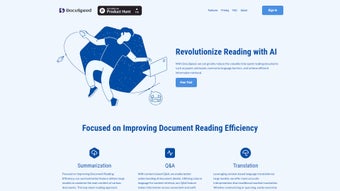
DocuSpeed is an innovative AI‑driven text summarizer built to boost reading efficiency for students, researchers, and busy professionals. By delivering chapter‑by‑chapter summaries, the web‑based platform cuts down on the time required to absorb large documents such as research papers, textbooks, and reports. Its contextual question‑and‑answer engine lets users retrieve precise information using natural language, while built‑in language translation adapts the summary to the reader’s preferred language with higher accuracy than traditional machine translation.
DocuSpeed offers a free trial that showcases its core capabilities, and a tiered subscription model for unlimited access, secure cloud storage, and regular AI model updates. The platform is designed for modern workflows: it works directly in the browser, requires no local installation, and syncs across Windows, macOS, Android, and iOS devices. Whether you need to skim a 300‑page thesis or pull out key findings from a technical whitepaper, DocuSpeed’s blend of summarization, contextual Q&A, and translation makes the process faster, safer, and more intuitive.
Key Features & How It Works
- AI‑Powered Summarization: Generates concise, coherent chapter‑level summaries in seconds.
- Top‑Down Reading Mode: Presents a hierarchical view so users can jump from high‑level overviews to detailed sections instantly.
- Natural Language Q&A: Ask questions in plain English and receive exact passages from the source document.
- Context‑Based Translation: Translates summaries while preserving technical nuance and domain‑specific terminology.
- Secure Cloud Workspace: Stores original files and generated summaries in an encrypted cloud environment.
- Cross‑Platform Access: Fully functional on any modern browser, with dedicated mobile interfaces for Android and iOS.
- Collaboration Tools: Share summaries or annotated excerpts with teammates via secure links.
- Free Trial & Flexible Subscriptions: Start with a 7‑day free trial; paid plans include unlimited documents and priority AI processing.
Behind the scenes, DocuSpeed leverages a transformer‑based language model fine‑tuned on academic and technical corpora. When a user uploads a PDF, DOCX, or plain‑text file, the system parses the document structure, identifies headings, and creates a semantic map. The AI then generates a top‑down summary, beginning with an executive overview before drilling into each chapter.
Users can interact with the summary through a sidebar that displays key questions and answers generated automatically, or they can type their own queries. The contextual translation engine draws on both the original language and the target language’s domain‑specific glossaries, ensuring that technical terms remain accurate. All processing occurs on secure, GDPR‑compliant servers, and the platform updates its models monthly to reflect the latest research in natural language processing.
Installation, Compatibility, Pros & Cons, and Frequently Asked Questions
Installation & Usage Instructions
Because DocuSpeed is web‑based, there is no traditional installation process. Follow these simple steps to start summarizing:
- Visit www.docspeed.io using a modern browser (Chrome, Edge, Firefox, or Safari).
- Click “Sign Up” and create a free account with your email or Google ID.
- After confirming your email, log in and select “Upload Document.” Supported formats include PDF, DOCX, TXT, and EPUB.
- Choose the summarization mode (Full Document, Chapter‑by‑Chapter, or Custom Section).
- Wait a few seconds while the AI processes the file. The summary appears on the right‑hand pane, with navigation links for each chapter.
- Use the “Ask a Question” bar to type natural‑language queries. The answer will highlight the relevant passage in the original document.
- To translate, select a target language from the dropdown and click “Translate Summary.” The translated version will replace the original summary view.
- Save the summary to your cloud workspace or download it as a PDF/HTML file.
For mobile users, download the DocuSpeed app from the Google Play Store or Apple App Store. The mobile app mirrors the web experience, allowing you to capture documents with your device camera, convert them to text via OCR, and then run the same AI summarization pipeline.
Compatibility
DocuSpeed runs on any operating system with a modern web browser, including Windows 10/11, macOS Monterey and later, Linux distributions, Android 8.0+, and iOS 13+. The mobile apps are native to Android and iOS, ensuring smooth performance on smartphones and tablets. Because the service is cloud‑based, there is no heavy local CPU load, making it ideal for low‑spec devices.
Pros & Cons
- Pros
- Lightning‑fast AI summarization saves hours of reading.
- Natural language Q&A eliminates the need to skim entire chapters.
- Context‑aware translation preserves technical accuracy.
- Secure cloud storage keeps documents private and accessible.
- Cross‑platform support means you can work from any device.
- Free trial allows you to test the core features without commitment.
- Cons
- Requires an internet connection; offline summarization is not available.
- Advanced features (unlimited documents, priority processing) are locked behind a subscription.
- Large PDFs (>200 MB) may take longer to upload and process.
Frequently Asked Questions
How accurate are DocuSpeed’s summaries?
DocuSpeed uses a state‑of‑the‑art transformer model fine‑tuned on academic texts, delivering summaries that retain 85‑90 % of the original meaning while cutting length by up to 80 %.
Can I use DocuSpeed for confidential research papers?
Yes. All files are encrypted in transit (TLS 1.3) and at rest (AES‑256). The platform complies with GDPR and CCPA, and no data is retained after the user deletes it from the cloud workspace.
Is there a limit to the number of documents I can summarize during the free trial?
The free trial allows up to 5 full‑document summarizations and unlimited chapter‑level previews, giving you enough exposure to evaluate the service.
How does the translation feature differ from Google Translate?
DocuSpeed’s translation engine is trained on domain‑specific corpora, so technical terms stay consistent. It also preserves the summary’s structure, unlike generic translators that often lose formatting.
What subscription plans are available after the trial?
There are two paid tiers: Pro at $9.99 USD/month (unlimited documents, priority AI queue, and advanced analytics) and Enterprise at $29.99 USD/month (team collaboration, custom branding, and dedicated support).
Conclusion & Call to Action
DocuSpeed stands out as a powerful ally for anyone who regularly confronts dense textual material. Its AI summarization, intuitive Q&A, and context‑aware translation together create a reading workflow that is both faster and more secure. While the reliance on an internet connection may be a drawback for remote fieldwork, the cloud‑centric design ensures that updates, security patches, and model improvements happen automatically—no manual upgrades required. For students aiming to master course readings, researchers needing quick literature overviews, or professionals who must digest reports on tight deadlines, DocuSpeed offers a compelling value proposition.
Ready to experience faster reading? Start your free 7‑day trial today and see how much time you can reclaim. Upgrade to the Pro plan anytime to unlock unlimited summaries, priority processing, and full‑scale translation capabilities. With its secure cloud storage, multi‑device compatibility, and continuously improving AI, DocuSpeed is poised to become the go‑to summarization tool for the modern knowledge worker.



.png)



